Travelers arrive tired, in a hurry and in a language that may not be yours. Now the answers are on their own phone, in theirs.
An airport, a main station or a ferry port is where people arrive for the first time, with luggage and a connection to catch. They all ask the same things: how to get into town, where the baggage office is, where to buy a ticket, whether there is a pharmacy after security, where the taxis are. Today those answers sit on signs, on a website nobody finds and at an information desk with a queue, and in the middle of the night often with nobody there at all. ToRun's AI assistant puts them on each traveler's own phone, from the documents you upload.
Available now. Try it on your phone with your own terminal's information. Last reviewed: November 2026
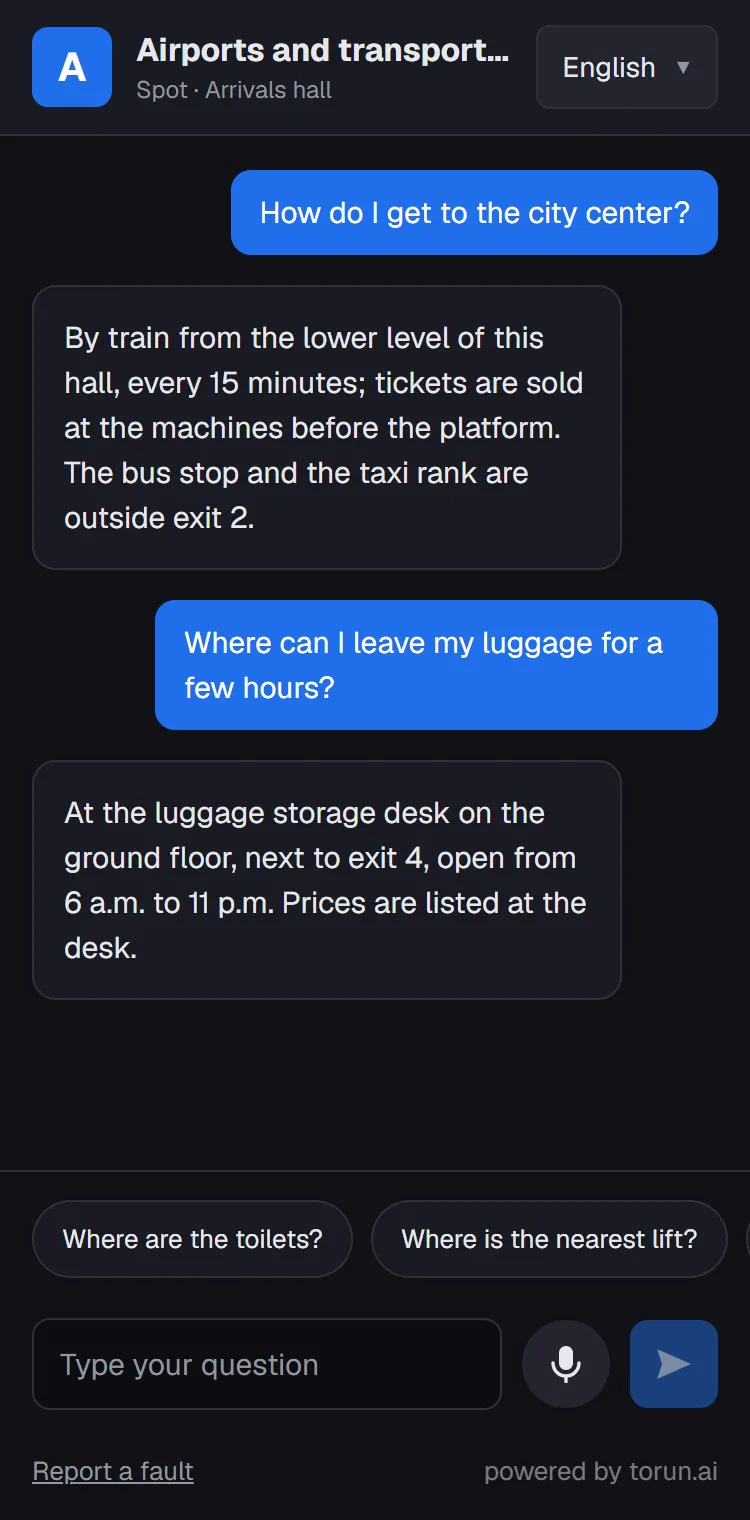
Spot · Arrivals hall
How do I get to the city center?
By train from the lower level of this hall, every 15 minutes; tickets are sold at the machines before the platform. The bus stop and the taxi rank are outside exit 2.
Where can I leave my luggage for a few hours?
At the luggage storage desk on the ground floor, next to exit 4, open from 6 a.m. to 11 p.m. Prices are listed at the desk.
Why a transport hub is one of the best places for it
Travelers from everywhere
A terminal hears dozens of languages a day. The traveler asks in their own, and the answer comes back in it, even when your documents are written in another.
Around the clock
Early flights, night trains, late ferries. An information desk cannot be staffed everywhere at every hour; the codes answer at 4 a.m. just as they do at noon.
The same questions, over and over
Getting into town, baggage, tickets, the pharmacy, the prayer room. Most questions at the desk have been asked thousands of times, and each one takes a member of staff away from a traveler who needs a person.
Big buildings on many levels
Terminals, piers, platforms and levels. With a code at each spot, the answer starts from where the traveler is standing.
A question from arrivals, the platform or the gate area
The code in the arrivals hall and the code on the platform are different codes, so the assistant knows where the traveler is standing. The answers come from the terminal guide, service and shop information, transport connections and rules the operator uploads. Live flight, platform and departure information stays on your own boards and apps.
Illustrative examples. Answers are generated from the information the venue uploads; when the documents have no answer, the assistant says so and the question goes to the report.
Four sides of the terminal, four different gains
The same setup gives each part of the operation something different: the traveler gets an answer without a queue, the information desk gets time back at peak hours, operations hears about a fault from the traveler who saw it, and the commercial team sees what travelers looked for and did not find.
Get an answer at any hour
Before the flight, between trains, at 4 a.m., in their own language, typed or spoken. The page asks for no name, ticket or passport number, and nothing needs to be installed.
Spend their time on the travelers who need a person
Questions about places, services and connections are answered where they come up. The desk keeps what only people can do: a missed connection, a traveler who needs assistance, a problem that needs a decision.
Hear about a fault from the traveler who saw it
“The escalator to platform 3 has stopped” or “the restrooms at gate 12 are out of order” reaches the panel with its spot and time, and by e-mail. If nobody picks it up within the set time, it moves up to the next person in charge.
Sees what travelers looked for
What travelers asked for and did not find is collected in its own list: a shower, a quiet place to sleep, food after midnight. Measured demand for the next shop or service, not a guess.
In the places where travelers actually ask
A print-ready poster comes out of the system for each spot; the codes can also be printed on existing signs and directory boards.
At the end of the season, you know what your travelers were looking for
The report is made of questions: what was asked, at which spot, when, in which language, and whether it was found.
Most-asked topics
Asked for, not found
Questions per hour, an average day
Busiest spot: the arrivals hall · Busiest hour: 07:00–08:00Languages of the questions
English 36% · Spanish 13% · Arabic 11% · Chinese 10% · French 8% · Other 22%Illustrative report. The real figures come from your own visitors' questions.
Signs and wayfinding
The spots where travelers ask most for directions show where the signs are not doing their job, and in which languages.
Desk staffing
The spread across hours, spots and languages shows when and where the information desk needs people, and which languages they should speak.
Shops and services
The asked-for-but-not-found list is measured demand for the next shop, restaurant or service. It downloads as Excel or CSV.
How it fits the operation
- Before going liveYou upload the terminal or station guide, service and shop lists with opening hours, transport connections, baggage and assistance rules and lost-property procedures, as Word, PDF, Excel or PowerPoint; no special format. You pick the spots and print a poster for each. The page goes live with your name, logo and color, and the people you choose get panel access.
- Every dayTravelers scan, ask and read. When a shop moves, an entrance closes for works or the winter timetable starts, the document is updated and the answers follow. Fault reports reach the panel and e-mail straight away, and the day's questions and the not-found list can be followed in the panel.
- Season by seasonThe demand report is in the panel, and the asked-for-but-not-found list downloads as Excel or CSV: input for signs, desk staffing and the next shop or service. The spots and codes stay where they are; what changes is the content you upload.
Airports
Priced by annual passengers.From €1,000 a month
10,000 answers a month included
Over 28,000,000: priced on a quote
See all venue pricesThree principles
No paid answers
No tenant or exhibitor can pay to be put first; the order of an answer cannot be bought.
It doesn't make things up
The assistant is set up to answer only from the venue's own documents and website. When there is no answer, it says so, and the question goes to the asked-but-not-found list.
No identity required
No account, no form, no name or phone number. The visitor scans the code and asks.
We collect questions, not people
The record is made of the question: what was asked, at which spot, when, in which language, and whether an answer was found. The venue sees what its visitors are looking for without knowing who they are.
Minimal data
Visitors are never asked for an account, a name, a phone number, an e-mail address or an ID number. The page asks for neither location nor camera permission.
Recordings are not kept
A spoken question is turned into text, and the recording is not stored.
No profiles
Question records contain no identity, IP address or device information, and no tracking cookies are used. The browser holds a temporary session key that keeps that visit's conversation going and is deleted when the tab closes; only if a venue turns on its optional daily question limit per device does it also keep a random key for 24 hours, used for that limit alone.
Your data stays yours
Only the people you authorize can see it. It is not sold and not used for marketing.
Roles set by contract
The venue is the data controller and ToRun is the data processor. Our Data Processing Agreement is published.
Read the Data Processing AgreementHosted in the EU
Hosting is in the European Union (Germany). When the contract ends, data is returned or deleted as you choose; the sub-processors are listed in the agreement.
Protected against misuse
Automatic bot verification and a per-visit question limit; answers and fault reports pass automatic content checks.
Frequently asked
Does it show live flight or departure times?
No. It is not connected to flight information, departure boards or ticketing, so it has no gate, platform or delay information to give. It answers from the documents you upload and points travelers to the boards for anything live.
Can it be used for safety information or in an emergency?
No. It answers everyday questions from your documents. It is not an emergency channel; safety announcements and emergency guidance stay with your own systems and staff.
Do we need to translate our documents?
No. You upload your documents in the language you work in; someone who asks in another language gets the answer in theirs.
Does it need internet?
Yes: the visitor's mobile connection or the venue's Wi-Fi is enough. The page is light and opens quickly on a weak connection.
What happens when the answer is not in our documents?
The assistant says it does not have that information instead of guessing, and the question goes to the asked-but-not-found list in your panel. That list shows which information is missing, and it downloads as Excel or CSV.
What does a venue need to provide to start?
Mostly documents you already have: store, unit or exhibitor lists, floor details, opening hours, services and rules, as Word, PDF, Excel or PowerPoint. You pick the spots, and a print-ready poster with its own QR code comes out of the system for each one.
We run more than one venue.
Each venue is set up with its own content, codes and reports, all managed from one account. Head office writes once and the venues below it answer from the same information; each manager sees only their own venue.
Can we get a surprise bill?
No. The number of questions is set in the contract and usage is visible in the panel at any time; when the number runs out, no extra charge is made without your approval.
Is the AI trained on our data?
No. The AI is not trained on your data; the documents are read at the moment a question is asked. That is why an update to a document shows up in the answers.
Let's set it up at your terminal or station
We start with a short setup on a limited number of spots, together with your team: we handle the setup and configuration, you provide the documents, and at the end we read the report of what travelers were looking for together. Scope, duration and terms are agreed in a meeting.
Before we meet: we can build a trial page from the public information on your website, so you can try the assistant on your own phone with your own terminal's information.