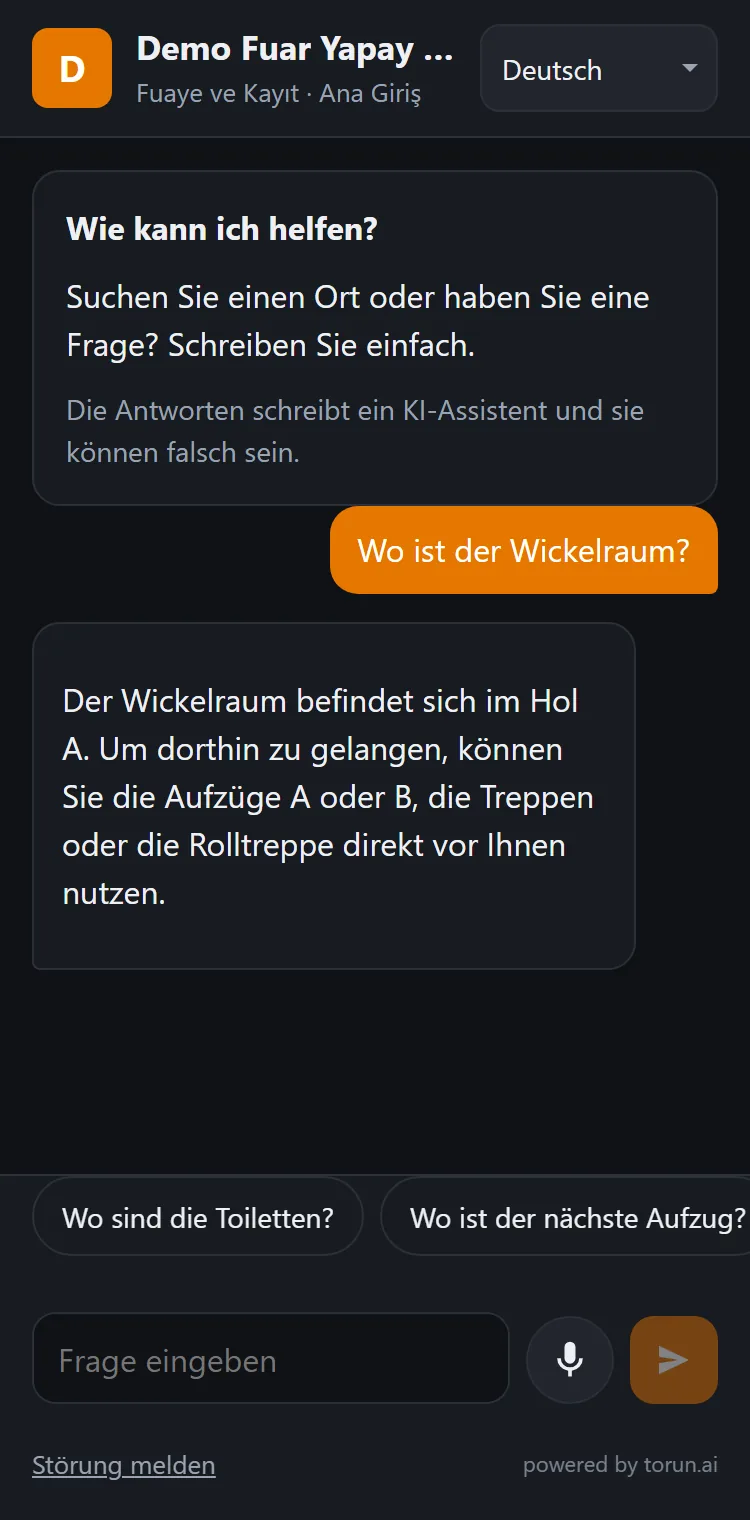
At a fair, every visitor asks the same questions. Now the answers are on their own phone.
Thousands of visitors, dozens of halls and hundreds of exhibitors share the same space for a few days, and every visitor has the same questions: which hall is the company I'm looking for in, which room is the seminar in, where is the cloakroom, when does the shuttle leave. Today those answers sit in a thick catalogue, on a board at the entrance and at a crowded information desk. ToRun's AI assistant brings them to the visitor's own phone.
Available now. Try it on your phone with your own fair's information. Last reviewed: October 2026
Every code knows where it hangs
The code at the entrance of Hall 3 and the code outside the conference room are different codes, so the assistant knows where the visitor is standing and gives directions from there. The answers come from the exhibitor list, hall plan, programme and service information the organiser uploads.
Illustrative examples. Answers are generated from the information the fair uploads; when the documents have no answer, the assistant says so and the question goes to the report.
Four sides of the fair, four different gains
The same setup gives everyone at the fair something different: the visitor finds what they came for, the exhibitor is found, the operations team hears about problems straight away, and the sales team talks about the next fair with measured demand.
Finds it without getting lost
No queue and no office hours; directions start from where they stand. They can search by product or sector without knowing a company's name. Programme, rooms, times, shuttles and the cloakroom on one page, in their own language, typed or spoken.
More people reach the stand
A visitor searching by product or sector is sent to companies whose names they didn't know. When a stand moves at the last minute, visitors go to the right place as soon as the list is updated.
Hears about problems from visitors, straight away
“The toilet in Hall 4 is closed” or “the escalator at gate B has stopped” reaches the panel with its spot and time, and by e-mail. If nobody picks it up within the set time, it moves up to the next person in charge. The halls and hours where questions pile up are visible too.
Sells the next fair on measured demand
Products and sectors visitors asked for but did not find at the fair are collected in their own list. A sentence like “400 visitors asked for medical packaging, and there was one exhibitor” is an argument for the next stand sale.
Where the questions start, not at one desk
A print-ready poster comes out of the system for each spot; the codes can also be printed on existing signs and directory boards.
When the fair closes, you keep a map of what visitors were looking for
The report is made of questions: what was asked, at which spot, when, in which language, and whether it was found.
Most-searched product groups
Searched for, not found at the fair
Questions per hour, three days (10:00–18:00)
Busiest hall: Hall 5 · Busiest hour: day 2, 14:00–15:00Languages of the questions
Turkish 58% · English 21% · Arabic 9% · Russian 6% · German 3% · Other 3%Illustrative report. The real figures come from your own visitors' questions.
The next fair's stand sales
The searched-for-but-not-found list is measured demand for products and sectors that are not at the fair yet. It downloads as Excel or CSV.
Layout and programme
What is searched for in which hall, which seminar is asked about most and which hours get busy: direct input for the next fair's hall plan, room sizes and schedule.
Operations and staff
The spread across hours and spots shows where information staff, interpreters and security are needed, and when.
How it fits the fair calendar
- Before the fairYou upload the exhibitor list (company, stand, hall, product group, country), hall and room information, the seminar programme and the services (cloakroom, food, parking, shuttles, Wi-Fi), as Excel, Word or PDF; no special format. You pick the spots and print a poster for each. The page goes live with the fair's name and logo, and the people you choose get panel access.
- During the fairVisitors scan, ask and read. A last-minute stand or programme change goes into the document and the answers follow. Fault reports reach the panel and e-mail straight away, and the day's questions and the not-found list can be followed in the panel.
- After the fairThe demand report is in the panel, and the not-found list downloads as Excel or CSV; the sales team builds its list of prospective exhibitors from measured demand. The spots and codes can be used again at the next fair in the same venue; what changes is the content you upload.
Trade fairs
Per fair, priced by the number of exhibiting companies. Up to 200€2,000 per event
10,000 answers per event included
See all venue pricesThree principles
No paid answers
No tenant or exhibitor can pay to be put first; the order of an answer cannot be bought.
It doesn't make things up
The assistant is set up to answer only from the documents the venue uploads. When there is no answer, it says so, and the question goes to the asked-but-not-found list.
No identity required
No account, no form, no name or phone number. The visitor scans the code and asks.
We collect questions, not people
The record is made of the question: what was asked, at which spot, when, in which language, and whether an answer was found. The venue sees what its visitors are looking for without knowing who they are.
Minimal data
Visitors are never asked for an account, a name, a phone number, an e-mail address or an ID number. The page asks for neither location nor camera permission.
Recordings are not kept
A spoken question is turned into text, and the recording is not stored.
No profiles
Question records contain no identity, IP address or device information, and no tracking cookies are used. The browser holds a temporary session key that keeps that visit's conversation going and is deleted when the tab closes; only if a venue turns on its optional daily question limit per device does it also keep a random key for 24 hours, used for that limit alone.
Your data stays yours
Only the people you authorise can see it. It is not sold and not used for marketing.
Roles set by contract
The venue is the data controller and ToRun is the data processor. Our Data Processing Agreement is published.
Read the Data Processing AgreementHosted in the EU
Hosting is in the European Union (Germany). When the contract ends, data is returned or deleted as you choose; the sub-processors are listed in the agreement.
Protected against misuse
Automatic bot verification and a per-visit question limit; answers and fault reports pass automatic content checks.
Frequently asked
What if mobile reception in the hall is weak?
The fair's Wi-Fi is enough, and the network details can be printed next to the code. The page is very light and opens quickly on a weak connection.
Several fairs at the same time?
Each fair is set up with its own content, codes and reports, all managed from the same organiser account.
How many people can use it?
There is no limit on the number of visitors; use is planned as a monthly number of questions, sized to the fair.
Can we get a surprise bill?
No. The number of questions is set in the contract and usage is visible in the panel at any time; when the number runs out, no extra charge is made without your approval.
Do we need to translate our documents?
No. You upload your documents in the language you work in; someone who asks in another language gets the answer in theirs.
What happens when the answer is not in our documents?
The assistant says it does not have that information instead of guessing, and the question goes to the asked-but-not-found list in your panel. That list shows which information is missing, and it downloads as Excel or CSV.
Can visitors speak instead of typing?
Yes. They hold the microphone button and speak, up to 30 seconds per press. The spoken question is turned into text, the recording is not kept, and the answer arrives in writing.
What does a venue need to provide to start?
Mostly documents you already have: store, unit or exhibitor lists, floor details, opening hours, services and rules, as Word, PDF, Excel or PowerPoint. You pick the spots, and a print-ready poster with its own QR code comes out of the system for each one.
Is the AI trained on our data?
No. The AI is not trained on your data; the documents are read at the moment a question is asked. That is why an update to a document shows up in the answers.
Let's set it up at your fair
We start with a limited number of halls, together with your team: we handle the setup and configuration, you provide the documents, and after the fair we read the report of what visitors were looking for together. Scope, duration and terms are agreed in a meeting.
Before we meet: we can build a trial page from the public exhibitor list on your fair's website, so you can try the assistant on your own phone with your own fair's information.